
Matching a Printer to the Way Your Team Actually Works
Ask most people how they ended up with the office printer they use every day and you will rarely get a considered answer. Somebody bought it years ago because it was on offer. Or a supplier quoted a price and the boss nodded. Or it came with the building, and nobody has thought about it since.
It feels like a small decision, right up until the machine jams halfway through a client report, or the toner runs out the morning of an audit, or someone works out that the finance team is spending twenty minutes a day feeding individual pages into a flatbed scanner. Then the printer very quickly stops being an afterthought and starts being a problem, which is why it is worth understanding whether a printer rental or a purchase suits you before you commit to anything.
Start with how you actually work

A modern office multifunction printer — the machine at the centre of most decisions.
The single biggest mistake I see is buying a printer based on the spec sheet rather than the job it will do. People fixate on pages per minute and forget to ask what those pages are, who is printing them, and where they need to go afterwards.
Before you look at a single machine, write down what your team does in a normal week. Do you print contracts to sign and post? Scan invoices into the accounting software? Copy handouts for a Monday morning meeting? Photocopy double-sided booklets for pupils? The answers change almost everything about the machine you need.
A printer that is perfect for a small estate agency sending out ten laser-printed particulars a day is the wrong tool for a school copying hundreds of exam papers in an afternoon. Matching the machine to the workflow, not the other way round, is where good decisions begin.
Get comfortable with your print volume
Print volume is the number nobody tracks and everybody guesses at. When I ask a business how many pages they print a month, the answer is almost always a shrug. That is a problem, because volume is the single biggest driver of running cost.
Every printer has a recommended monthly duty cycle, which is the maximum it can handle in theory, and a recommended monthly volume, which is what it can comfortably manage without wearing itself out. Buy a small desktop machine and feed it ten times its recommended volume and you will be replacing drums, fusers and paper trays far sooner than you expected. Buy a heavy production machine for a team that prints thirty pages a day and you are paying for capacity nobody uses.
If you do not know your numbers, check the machine you have now. Most printers keep an internal page counter buried somewhere in the settings menu. Look at the last twelve months and divide by twelve. Then add a little headroom for growth, because a machine that fits perfectly today tends to feel tight eighteen months from now.
One useful rule of thumb: a machine running comfortably should sit at no more than about 70% of its recommended monthly volume. Anything more and you are asking it to sprint every single day.
Print, copy, scan: work out what you honestly use
The modern office machine is rarely just a printer. Most are multifunction devices that print, copy, scan and sometimes fax, all in one unit. The trick is knowing which of those jobs you actually do, because you pay for every capability whether you use it or not.
Printing
This is the obvious one, but colour matters more than raw speed for many businesses. If your printed output is mostly black-and-white text, a fast mono machine will cost far less per page than a colour one. If proposals, marketing material or charts leave the building with your name on them, colour is not a luxury. Think about double-sided printing too, it halves your paper cost and is standard on most good machines now.
Copying
If you regularly copy multi-page documents, look at the automatic document feeder carefully. How many sheets does it hold? Does it scan both sides in one pass? A slow or flimsy feeder turns a two-minute job into a twenty-minute one, five times a day.
Scanning
This is where I see the most hidden frustration. A flatbed scanner is fine for the odd page, but if your team captures documents daily, you want a fast sheet-feed scanner that can push straight to email, a network folder or the cloud. The ability to scan-to-searchable-PDF, where the machine converts the image into text, is another thing worth paying for when you need it.
Be honest with yourself here. I have lost count of the businesses that bought a machine with all the bells and whistles and use precisely one of them. Spend your money where the work actually happens.
Speed is about more than the headline number
Pages per minute is the figure everyone quotes and the one that matters least in isolation. That number is measured under ideal conditions, usually a single simple document warmed up and ready to go. Real life rarely looks like the test.
What actually determines whether a printer feels fast is the time from the moment someone presses print to the moment the first page lands in the tray. Machines that spend a long time waking from sleep, or that sit and think before they start, feel slow even if their headline speed is impressive. Look for the "first page out" time if the spec sheet lists it, and ask how quickly the machine warms up from standby.
A related and often forgotten point is memory and processing power. A machine with too little memory will spool and stall on large jobs, particularly ones with graphics. If you routinely send big colour documents, make sure the printer can hold and process them without choking.
The practical takeaway: for most offices, anything from about 25 pages per minute upward with a quick first-page time is plenty. Beyond that, you are paying for a level of speed only a busy print room truly needs.
Do not overlook paper handling
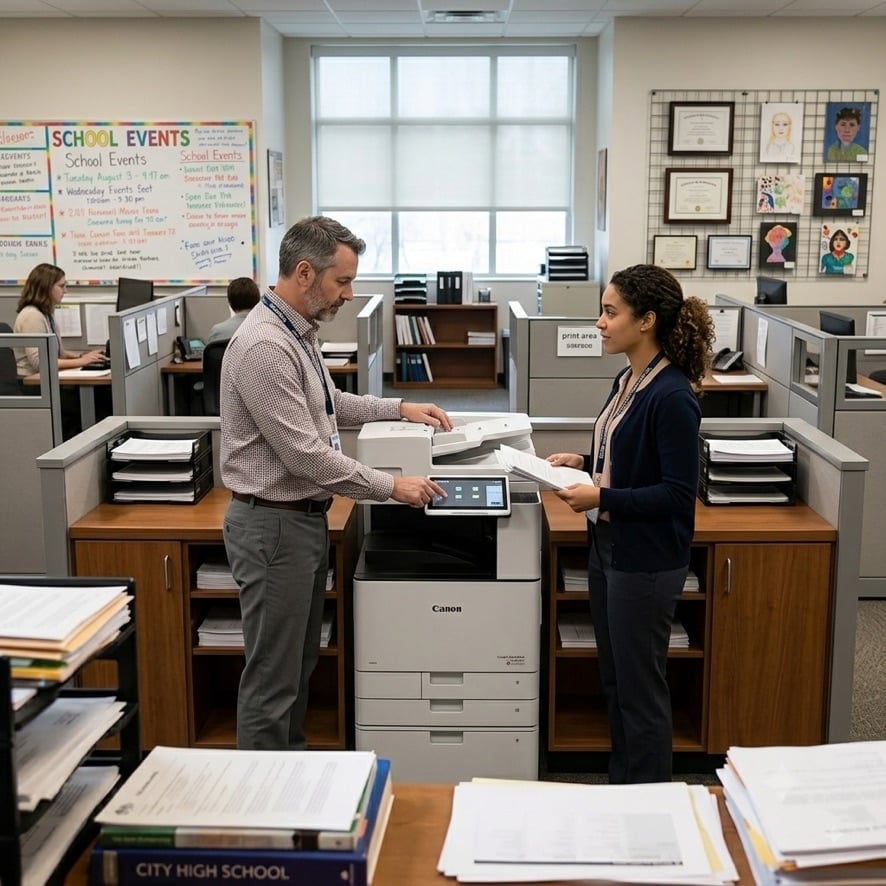
Paper handling and finishing options quietly shape how smoothly a machine fits a workflow.
The guts of a printer get all the attention while the paper trays are an afterthought, yet they are the cause of more daily frustration than almost anything else. Get this wrong and somebody is refilling a tray or clearing a jam every half hour.
Think about the sizes and types of paper you use. Do you print only A4, or letterheads and envelopes too? Do you need a separate tray for headed paper so contracts go out on the right stock without someone swapping the contents? Would a second or third tray stop the machine running dry mid-batch and save you buying a larger machine than you otherwise need?
Finishing options fit in here as well. Stapling, hole punching, sorting and booklet making can be handled automatically by the right machine, and if your team currently does any of this by hand you would be surprised how much time a finisher unit saves. It is the difference between the printer doing the tedious part and a person doing it.
A good rule is to list every paper type and size that flows through your office in a month, then check each one against the machine's trays and finishing options before you commit. A printer that cannot handle your day-to-day paper is the wrong printer, no matter how pretty the spec sheet.
Connectivity and security are not optional extras
A modern office printer is a computer that happens to put ink on paper, and it sits on your network in exactly the same way a laptop does. That makes it both a productivity tool and, if not secured properly, a weakness.
Connectivity
Wireless and mobile printing sound like nice-to-haves until half your team is working from a laptop on a table instead of a desk with a cable. Features like printing from a phone or tablet, or sending a job from home to the office machine, have quietly moved from luxury to expectation. Check the machine supports the way your people actually get documents onto paper, not just the old-fashioned route of a wired PC.
Security
This is the part businesses skip and live to regret. Printers store documents, sometimes sensitive ones, on their internal drives. They hold scan jobs, saved copies and the history of what passed through them. If a machine leaves your building at the end of a lease or rental without that drive being wiped, your client data can leave with it.
Look for user authentication, so only the right people can release confidential jobs. Look for encrypted scanning and secure network protocols. And ask, in plain English, what happens to the data on the hard drive when the machine is returned. A supplier who cannot answer that clearly is not one you want.
Printers are easy targets precisely because everyone treats them as dumb boxes. A little attention here protects far more than your toner budget.
The price of the machine is the small print
Here is the truth most shops will not volunteer: the purchase price of an office printer is only the beginning. Over three years, the toner, drums, paper and maintenance usually cost far more than the machine did on day one.
The figure that actually matters is cost per page, and it varies enormously between machines. A cheap printer with expensive cartridges can quietly cost you two or three times more over its life than a slightly pricier machine that sips toner. When you compare options, ask for the cost per page in black-and-white and in colour, and do the maths on your real monthly volume, not a polite estimate.
This is where a bundled arrangement can make a huge difference. A managed print services agreement rolls the machine, toner, maintenance and support into a single predictable monthly cost based on your actual usage. No surprise bills when the toner runs out, no engine question about who pays for a repair. It also tends to come with a cost-per-page rate that a one-off cartridge purchase simply cannot match.
If predictability matters to your budget, and it usually does, a single all-inclusive monthly figure beats guessing. At the very least, find out what a full set of replacement consumables costs before you sign, so the first big order is not a shock.
A short checklist before you commit
Print this out, or scribble it on a notepad, and go through it line by line whenever you are weighing up a printer. If you can answer every question clearly, you are ready to decide.
Frequently Asked Questions
How many pages per minute do I actually need?
For a typical office, anywhere from 25 to 40 pages per minute is more than enough. The number printed on the box matters less than how quickly the machine produces its first page and how fast it wakes from sleep. Busy print rooms might want more, but most teams pay for speed they will never use.
Should I choose laser or ink?
For office work it is almost always laser. Laser machines are faster, the consumables last far longer, and the cost per page is lower. Inkjet suits occasional, lower-volume colour printing at home or in the smallest of offices. If documents are your business, go laser.
Do I need colour printing?
Only if colour adds real value to what leaves the building. If you print contracts, letters and internal notes in black-and-white, a fast mono machine is much cheaper to run. If proposals, charts or customer-facing material are part of the job, colour is worth the cost.
What is cost per page and why does it matter?
Cost per page is the total of toner, drum and other consumable costs divided by the number of pages they produce. Over the life of a machine this outweighs the purchase price several times over. Always compare this number, not just the sticker price.
Is a multifunction device worth it?
For most offices yes, because print, copy and scan are bundled into one machine that takes up less space and costs less than three separate units. Just be sure you will use the copying and scanning functions, otherwise you are paying for them whether you need them or not.
Why does print security matter?
A printer stores documents on its internal drive, including scan jobs and copies of sensitive material. Without authentication and proper data wiping, confidential information can sit inside a machine or leave with it when it is returned. Security is as important on a printer as on any other device on your network.
Should I rent, lease or buy an office printer?
It depends on how you like to budget. Renting keeps everything as a predictable monthly cost with maintenance and toner included, and makes it easy to upgrade as your needs change. Leasing commits you for a fixed term. Buying ties up capital and leaves you responsible for every running cost. We go into the trade-offs in our guide to renting versus buying a photocopier.
What is managed print services?
Managed print services, or MPS, bundles your printers, toner, maintenance and support into one all-inclusive agreement with a single cost-per-page rate. It removes surprise bills and gives you one number to budget against. It suits any business running more than one device, or anyone who would rather not think about printers at all. See our managed print solutions for more.
Get advice before you decide
Choosing an office printer feels like a chore, which is exactly why it gets rushed. But a machine you pick in ten minutes will quietly shape how your team works for the next three or four years. Get it right and printing just happens in the background. Get it wrong and it becomes a daily source of muttering by the water cooler.
The good news is that none of this has to be worked out alone. A quick conversation with someone who deals with these machines every day usually clears up in twenty minutes what an afternoon of browsing spec sheets cannot. Matching a printer to a workflow is what good suppliers do for a living, and they will happily tell you when a cheaper machine will do the job just as well.
If you would like to talk through what your office actually needs, get in touch with our team. We have been helping businesses with printing for decades, and we would rather give you an honest steer than sell you a machine you do not need. Sometimes the right advice is the cheapest thing you buy all year.