
I have been supplying and servicing office copiers around Slough, Berkshire and the Thames Valley for over twenty years, and I have noticed a real shift in what businesses ask for. Fewer people want to sign a five-year agreement. More and more want a photocopier for six months, a year, or however long a project actually lasts.
That makes sense. Businesses move offices, take on short contracts, cover for a machine that has broken down, or simply need extra capacity over a busy period. A long lease does not fit any of those situations.
This guide covers everything I would tell a business owner sat in front of me. Print volume, security features, contract length, the costs nobody mentions upfront, and the questions worth asking before you commit to anything. I will keep the jargon to a minimum.
Short-Term Photocopier Rental in Slough and Across Berkshire
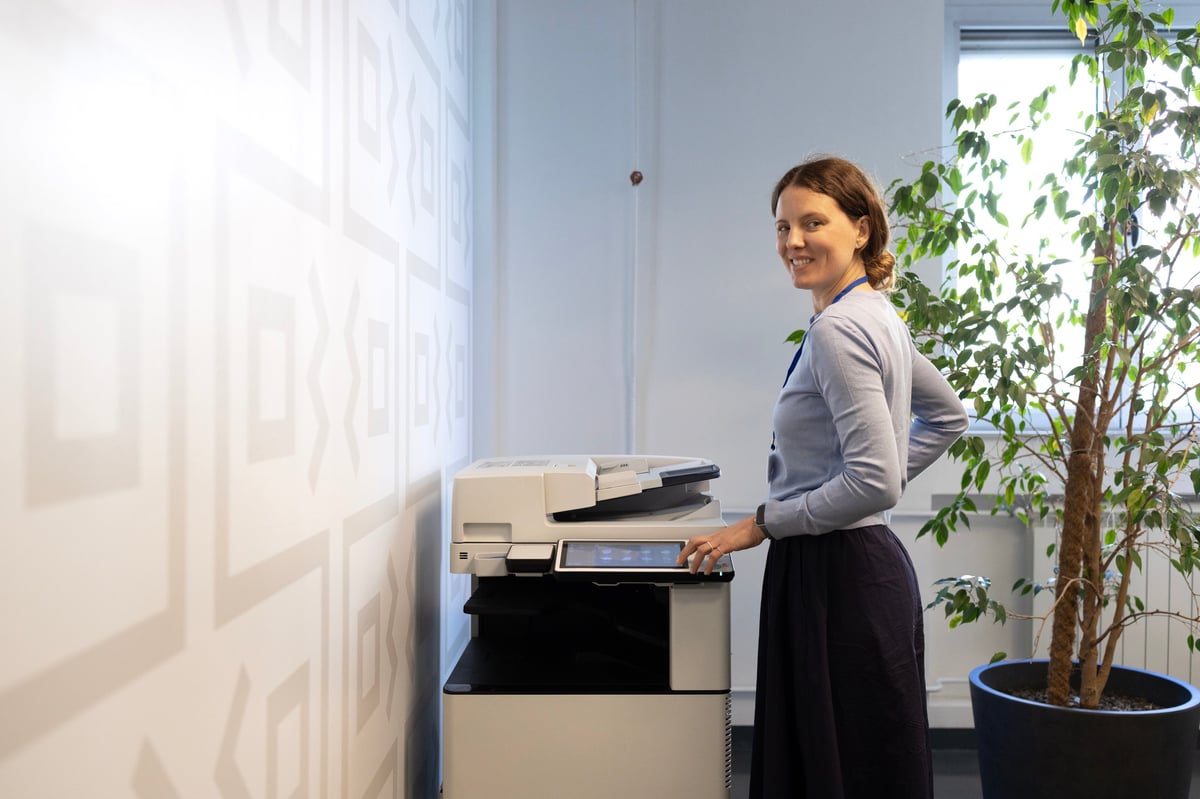
A short-term photocopier rental lets a growing Slough business scale its printing without a long contract.
Slough is a town that changes quickly. Between the trading estates along the Bath Road, the business parks near Junction 6 of the M4, and the steady stream of companies setting up satellite offices in the area, we work with a lot of businesses that need equipment for a fixed period rather than forever.
A short-term photocopier rental is exactly what it sounds like. Instead of a three or five year finance agreement, you take a machine for a set number of months. When the period ends, you hand it back. There is no debt on your balance sheet, no settlement figure to argue over, and no lengthy notice period if your plans change.
The businesses that ask us for this tend to fall into a few groups. A company moving into new premises while their fit-out is finished. A firm that has won a twelve month contract and needs to match its overheads to that contract. An office whose main machine has failed and needs something reliable within a day or two. A school covering exam season. A business hosting an event or a mailshot that will generate thousands of pages in a fortnight.
What all of those have in common is that the need is real, but temporary. Signing up to a four year lease for a four month problem never made sense, and more businesses are waking up to that. If you are weighing up the wider options, our guide to renting versus buying a photocopier covers the numbers in more detail.
Start With Your Print Volume, Not the Machine
Almost every mistake I see starts in the same place. Someone picks a machine they like the look of, then tries to make their printing fit around it. It works far better the other way round.
Before you look at a single model, work out roughly how much you print. Not the exact figure, just a realistic estimate. Grab last month's invoices or pull a meter reading off your current machine if you have one, because that beats guessing every time.
A Rough Guide to Monthly Volumes
Under 1,000 pages a month
A small professional office, a two or three person team, or a business that has gone mostly digital. A compact desktop multifunction device handles this comfortably.
1,000 to 5,000 pages a month
The most common range we see. A busy office of ten to thirty people. You want a freestanding machine with a decent paper capacity and a faster first page out.
5,000 to 20,000 pages a month
Heavier use, often with scanning and finishing. Consider a departmental machine with a document feeder, stapling, and enough tray capacity to avoid constant refilling.
20,000 pages a month and above
Production territory. You may be better served by two machines than one, partly for capacity and partly so a single fault never stops the whole office.
Then Split It Between Black and Colour
This is the bit people skip, and it is the bit that changes the price. Colour pages cost several times more than mono pages, so a rental built around an average figure can look reasonable on paper and still produce an unpleasant bill at the end of the month.
In most offices, the split is heavily weighted towards black and white. Invoices, contracts, internal documents, picking notes. Colour tends to be marketing material, presentations, and anything customer facing. Work out roughly what proportion of your printing needs colour, because that number matters more than the total.
- Count a full colour page as one colour page, even if only a logo is printed in colour.
- Check whether duplex (double-sided) printing is included in your page count or charged as two pages.
- Ask whether A3 counts differently from A4, because on many machines it does.
- Look at last year's volumes too, not just last month, so seasonal peaks do not catch you out.
If you genuinely cannot estimate, say so. A good supplier will build a rental with a page allowance you can adjust rather than pushing you into a fixed bundle that either leaves you short or has you paying for pages you never use.
Choosing the Right Business Printer
Once you know your volumes, the shortlist gets much shorter. Here are the specifications worth thinking about, in the order they usually matter.
Speed
Speed is quoted in pages per minute, and it is easy to overbuy here. A machine rated at 45 pages per minute is lovely, but if your office prints in short bursts it will spend most of the day sitting idle. What matters more is the first page out time, which is how long you stand there waiting. A machine with a fast first page but a modest top speed often feels quicker in daily use than the numbers suggest.
Paper Handling
Two things to check. How many sheets the trays hold, and whether it can handle the paper weights you actually use. A 500 sheet tray sounds generous until you are printing 3,000 pages and refilling six times. If you print on card, labels, or anything heavier than standard 80gsm stock, confirm the machine supports it before you sign, because not all do.
Scanning and Copying
Most businesses now scan far more than they print, yet the scanner is the thing people think about last. Look for a single pass duplex feeder, which scans both sides of a sheet in one go rather than flipping it over. On a batch of two hundred invoices, that difference is the gap between a two minute job and a ten minute one.
Finishing Options
Stapling, hole punching, folding, booklet making. These are worth having if you produce reports or tender documents in house, and a waste of money if you do not. Be honest about it. A finisher adds to the monthly cost and takes up floor space, and plenty of businesses pay for one they use twice a year.
Physical Size
Measure your doorway before anything else. It sounds trivial until a machine arrives that will not fit through the lift or around the corner of a stairwell. We have had to crane machines into buildings before, which is a costly afternoon nobody enjoys. If you are in temporary premises, check the floor loading as well, because a large freestanding copier is heavier than it looks. Our workplace printing solutions page covers the typical configurations for different office layouts.
Security Features That Actually Matter
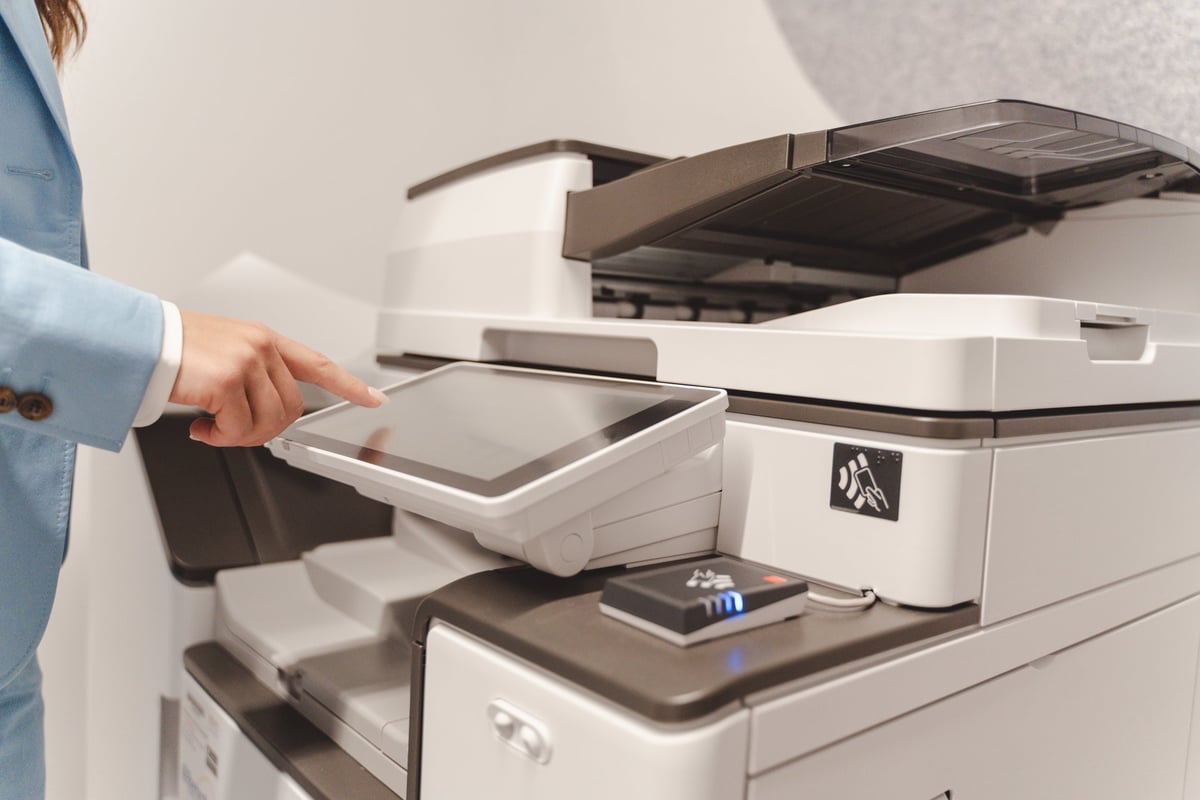
User authentication and secure print release keep confidential documents out of the wrong hands.
A photocopier sits at the junction of some of the most sensitive information in your business. Contracts, payroll, client records, medical notes, staff disciplinary letters. If you handle personal data, your copier is part of your data protection picture whether you think of it that way or not.
The awkward truth is that the biggest risk is usually the simplest one. A document left sitting in the output tray because someone got called into a meeting. Every office has done it.
Secure print release
The job is held on the machine until the person who sent it swipes a card or enters a PIN at the device. Nothing prints until they are standing in front of it. This one feature removes the abandoned document problem almost entirely, and it is the first thing I would ask for on any rental.
User authentication
Staff log in at the machine with a card, PIN, or their network credentials. You get two benefits at once: documents are protected, and you can see who is printing what, which is useful when you are trying to work out where all the colour pages are coming from.
Encrypted storage and secure wipe
Copiers store data on an internal hard drive. On a rental machine that will go back to the supplier and possibly on to another business, you want a machine that encrypts that drive and can securely erase it at the end of the term. Ask about this specifically on short-term rentals, because the turnover is faster.
Pull printing across the fleet
Send a job and release it from any machine in the building. Useful if you have more than one device, and it means a queue at one copier does not hold up the whole office.
Audit trails and access limits
Some systems let you restrict colour printing to specific people or departments, or cap monthly volumes per user. If colour costs are creeping up, this is a far better fix than a stern email to all staff.
Automatic redaction
Newer machines can detect and blank out patterns like bank details or national insurance numbers during scanning. It is not perfect, and I would not rely on it alone, but on high volume document workflows it adds a useful safety net.
One practical point on short-term rentals. If you are returning the machine in six months, ask what happens to the data on its drive and get the answer in writing. A reputable supplier will wipe it and confirm that they have. It is a reasonable question and nobody should be uncomfortable being asked it.
What a Short-Term Photocopier Rental Costs
I am not going to pretend there is a single figure, because there is not. What I can do is explain the shape of the pricing so you know what you are looking at when a quote lands on your desk.
The Two Parts of the Bill
Almost every rental is made up of a standing charge and a usage charge. The standing charge covers the machine itself, delivery, installation, and the fact that it is yours for the term. The usage charge is a cost per page that covers toner and servicing.
Rates vary with the machine and the volume you commit to, but as a rough steer, colour pages cost somewhere between three and four times what black and white pages do. This is why the colour split I mentioned earlier matters so much. Committing to a high colour allowance you never use is the single easiest way to overpay on a rental.
Why Shorter Terms Cost More Per Month
A three month rental will always carry a higher monthly figure than a twelve month one for the same machine. That is not the supplier being greedy. Delivery, installation, collection, and refurbishment between hires are all fixed costs, and on a short term they have to be recovered over fewer months.
So if you know you need a machine for a year, take it for a year. If you only genuinely need it for three months, accept the higher monthly rate as the price of flexibility and stop comparing it to long-term figures. They are different products.
What Leads to an Unexpected Invoice
These are the ones that catch businesses out, and they are all avoidable:
- ⚠Exceeding your page allowance. The overage rate per page is always higher than the rate inside your bundle. Estimate your volumes honestly at the start and check the allowance is realistic for how you actually print.
- ⚠Damaged equipment. Fair wear and tear is expected and covered. A cracked screen, a snapped tray, or spill damage is not, and you will be billed for the repair or the replacement part.
- ⚠Missing accessories. Power cables, network leads, the drum unit if it is a separate item. Check the delivery note against what is there when the machine is installed, and keep a copy.
- ⚠Late return fees. If your rental ends on the 31st and the machine is collected on the 8th, you may still be charged for those days. Confirm the collection date in writing rather than assuming.
- ⚠Cleaning charges. Some suppliers charge if the machine comes back with a full waste toner bottle or in a state that needs more than a standard clean.
None of this is a reason to avoid a rental. It is a reason to read the schedule of charges attached to it, which most people never do.
When a Short-Term Rental Is the Right Call
I get asked fairly often whether renting short term is a sensible move or whether it is just paying over the odds for something you should commit to. Here is how I answer it.
You are moving premises or waiting on a fit-out
Machines get packed away before the new office is ready, and there is usually a gap. A short rental bridges it so the business does not lose three weeks of paperwork and invoicing. This is one of the most common reasons we get a call, and usually the most time-critical.
Your main machine has failed
When a copier dies on a Friday afternoon and the replacement part is a week away, everything from despatch notes to payroll stops. A loan or short rental unit gets you through. It is worth asking whether your existing service agreement includes a loan machine, because a good one will.
You have won a fixed-term contract
A twelve month public sector contract, a construction project, a short term tender. If the work has an end date, your equipment commitment should probably match it. There is no sense carrying a four year liability for a one year job.
You have a seasonal or event-driven peak
Exam periods for schools, year end for an accountancy practice, a product launch, a mailshot. Bring capacity in for the weeks you need it and hand it back afterwards. Leasing cannot do this and buying means storing a machine you do not want.
You need a proof of concept
Sometimes you genuinely do not know what you need until you have lived with a machine for a few months. Rent it, find out, then commit with confidence. It is a lot cheaper than discovering in year three that the paper tray is too small.
Your business is in a period of change
A merger, a restructure, an acquisition, an uncertain year. When you cannot predict the shape of the business in twelve months, a short rental keeps your options open instead of locking you in.
And the honest flip side. If your requirement is genuinely long term, steady, and predictable, a longer agreement will usually cost you less per month and you should take it. Renting short term is a flexibility product. Do not pay for flexibility you do not need, and do not sacrifice it when you do.
The Practical Bits People Forget
These are the things that do not appear in the glossy brochure and then cause a problem in week one.
Network and Connectivity
Someone has to connect the machine to your network, install the drivers on every laptop, and set up the scan-to-email or scan-to-folder destinations. Confirm whether that is included or whether it is down to your IT people. On a short rental, where you may have no IT support at all, paying a little extra for someone to do the setup properly is usually money well spent.
Power and Location
Larger copiers need a dedicated socket and often their own circuit. They should not go on an extension lead shared with a kettle. Give some thought to where the machine will live as well, because a copier in a corridor gets knocked, and a copier next to a radiator will not thank you for it.
Delivery, Installation and Collection
Confirm all three are included and get the dates agreed. On a short rental, the collection date is as important as the delivery date, because a delay at the end can leave you paying for a machine sat unused in an empty office. Ask who is responsible if the collection is missed and see whether the charge is capped or open ended.
Training
Modern copiers do a great deal, and you will not find most of it without being shown. Fifteen minutes with an engineer on installation day is worth more than an hour with a manual. Ask for it, and make sure the people who actually do the printing are the ones in the room.
Insurance
Check whether your business insurance covers hired equipment, because a rented copier is not your property but it is your responsibility while it is on site. Most policies can be extended to cover it, and it is a small addition next to the cost of replacing a damaged machine out of your own pocket.
Questions to Ask Before You Rent
Take this list to any supplier conversation. A good one will answer every question without hesitating. If you get vague answers, that tells you something useful before you have signed anything.
Frequently Asked Questions
How short can a photocopier rental be?
It depends on the supplier, but most will offer terms from one month upwards, with three, six and twelve months being the common options. Very short rentals of a few weeks are usually possible for loan machines or event cover, though the monthly rate will be higher because delivery and installation costs are spread over less time.
Is short-term photocopier rental more expensive than leasing?
The monthly figure is higher, yes. But you are comparing different things. A lease commits you for three to five years and charges you for all of it, whether you use the machine or not. A short rental costs more per month and nothing at all once it ends. If your requirement genuinely ends, the rental usually works out cheaper overall.
What happens if the photocopier breaks down during the rental?
On a properly structured rental, servicing is included and an engineer will come out to fix it. Ask what the guaranteed response time is before you sign, and ask whether a loan machine is provided if the repair takes more than a day. That second question is the one that separates a good supplier from an average one.
Do I need to pay a deposit for a short-term rental?
Some suppliers ask for one, particularly on very short terms or for first time customers. It is usually refundable provided the machine comes back in reasonable condition. Ask whether it is held or offset against your final invoice, and get the terms in writing.
Can I print in colour on a short-term rental?
Yes, almost always. What varies is how the colour pages are charged. Some rentals include a colour allowance in the monthly figure; others charge colour purely on usage. If your colour volumes are low and unpredictable, a rental with a low colour allowance and a reasonable overage rate usually works better than paying upfront for colour pages you may not use.
What happens to my documents when the machine goes back?
This is a fair question and worth asking directly. Copiers store data on an internal hard drive. A responsible supplier will securely wipe that drive before the machine is refurbished or rehired, and will confirm they have done so if you ask. Get that confirmation in writing, especially if you handle personal or client data.
Can I rent a photocopier for a home office or very small business?
Yes. Short-term rentals suit home offices well, particularly if you are testing whether you need a machine at all. A compact desktop multifunction device takes up about as much room as a large printer and handles a low volume comfortably. If you are not sure what you need, a short rental is a sensible way to find out without committing.
Do you cover Slough, Windsor, Maidenhead and the surrounding area?
Yes. We are based in Burnham Village, just outside Slough, and we cover the whole of Berkshire and the Thames Valley, including Windsor, Maidenhead, Reading, Bracknell, and out towards Heathrow and West London. Being local matters more than people expect, because it means a shorter wait when something goes wrong.
Can I buy the machine at the end of the rental?
Often, yes, though it is not guaranteed and depends on the machine and the supplier. If buying at the end is something you think you might want, raise it at the start rather than assuming it will be available later. It is much easier to agree a price upfront than to negotiate one after the fact.
How quickly can a rental photocopier be installed?
For stock machines, often within a couple of working days, and sometimes same day if it is urgent and we have the right unit available. If you need a specific model or a machine with particular finishing options, allow a bit longer. Tell the supplier your deadline when you first call rather than after you have chosen a machine.
Summing It Up
If I had to reduce this whole guide to a few sentences, it would be this. Work out your print volume before you look at machines. Split it between black and white and colour, because that is where the cost sits. Decide how long you actually need the equipment for, and match the contract to that rather than to what a salesman would prefer. Then ask about security, servicing, and the charges that only appear if things go wrong.
Do those things and a short-term rental is one of the simplest pieces of equipment admin you will deal with all year. Skip them and it becomes the thing that eats a morning a month and still produces a surprise invoice.
The wider rental picture, including how it compares with leasing and with buying outright, is covered in our guide to understanding copier lease agreements. If you are weighing up buying instead, our article on photocopier rental versus buying runs through the numbers.
If you would rather just talk it through, get in touch with our team. Tell us what you print, roughly how much, and how long you need a machine for. We will give you a straight answer, and if renting short term is not the right option for you, we will say so.